
OBD Scanner ELM327: GaragePro
CaRPMAuto & Vehicles
3.2670.00 Reviews
- Version
- 4.0.6
- Installs
- 1.00M
- Age Rating
- Everyone
Screenshots
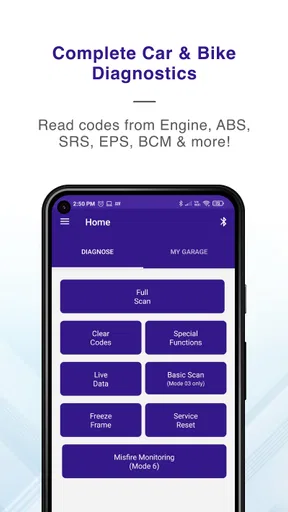
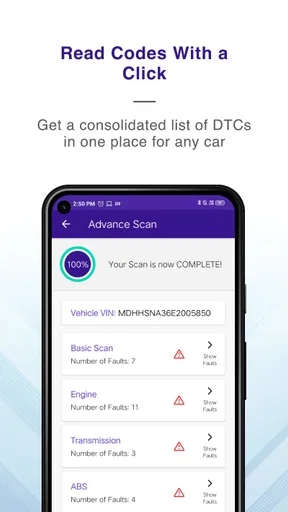
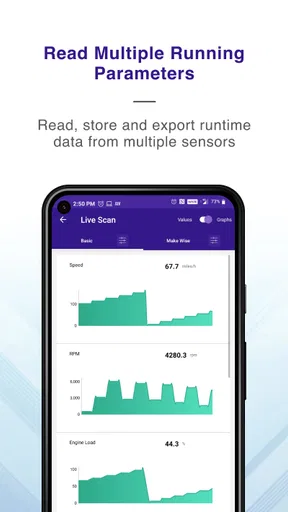
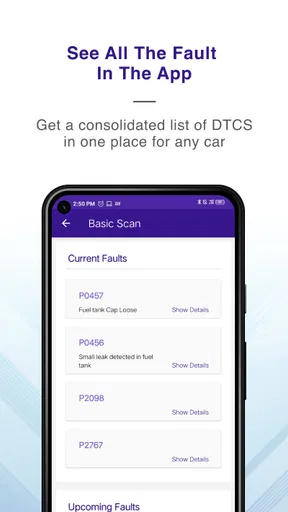
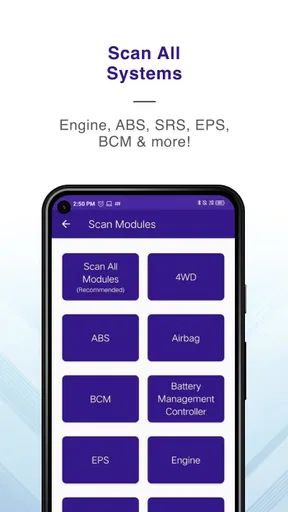
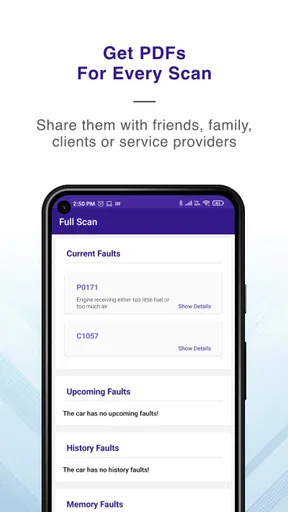
Our Review of OBD Scanner ELM327: GaragePro
 Analysis by Appyee
Let me tell you about my latest adventure with the OBD Scanner ELM327: GaragePro. Yes, I know, car diagnostics might not sound like the most thrilling topic, but stick with me here. This app has revolutionized the way I look at my car's health. If you've ever felt that pang of anxiety when a dashboard light comes on, you’ll understand why this app is a game-changer.
Getting Started with GaragePro
Kicking things off, installation was a breeze. I downloaded the app from the Play Store (it's available on iOS too), and within minutes, I was ready to dive into the world of car diagnostics. To use GaragePro, you'll need an ELM327 device, which is pretty easy to find online. Just plug it into your car's OBD-II port, and voilà, you're all set!
The interface is sleek and intuitive. I didn’t have to fumble around with a manual or search Reddit for setup tips. It’s as if the app developers knew exactly what a user like me would need. Connecting the app to the ELM327 device was seamless, and it quickly started reading data from my car.
Features That Make a Difference
Now, onto the features. This app is packed with them. From reading and clearing fault codes to providing live data about your vehicle’s performance, it’s like having a mechanic in your pocket. Seriously, the amount of information you get is mind-blowing. I could see real-time data on engine RPM, coolant temperature, and even fuel consumption.
One of my favorite features is the ability to create a detailed report of your car's health. You can share this with your mechanic or keep it for your records. It’s super handy when you’re trying to keep track of what's been happening with your car over time.
Performance and User Experience
In terms of performance, the app is lightning fast. I experienced zero lag while navigating through the menus and pulling up different sets of data. The user experience is top-notch, and it really feels like the developers put a lot of thought into how everything flows. Plus, you don’t have to be a car expert to understand the data. The app explains everything in layman's terms, which is a huge plus for someone like me who’s not exactly a gearhead.
Why GaragePro Stands Out
What makes the OBD Scanner ELM327: GaragePro stand out from the rest is its simplicity paired with powerful features. Unlike some other apps that drown you in technical jargon, GaragePro keeps things user-friendly. It’s perfect for anyone who wants to keep tabs on their vehicle without needing a degree in automotive engineering.
Another standout feature is the community support. There's a vibrant community of users and experts who are more than willing to help out with any issues. It’s like having a support group that’s got your back 24/7.
Final Thoughts
In conclusion, the OBD Scanner ELM327: GaragePro is a must-have for anyone who wants to take control of their car’s health. Whether you’re a car enthusiast or just someone who wants to avoid unnecessary trips to the mechanic, this app is a valuable tool. It’s easy to use, packed with features, and incredibly reliable.
If you’re curious about your car’s inner workings or want to save some bucks by diagnosing issues yourself, give GaragePro a try. Trust me, your car (and your wallet) will thank you.
Verdict
Strengths of OBD Scanner ELM327: GaragePro
- Easy-to-use interface for all users.
- Wide compatibility with various car models.
- Offers real-time diagnostics data.
- Frequent updates improve functionality.
- Saves money on mechanic visits.
Limitations of OBD Scanner ELM327: GaragePro
- Limited features in the free version.
- Requires stable Bluetooth connection.
- Some data may require interpretation.
- Occasional connectivity issues.
- Not all vehicles are supported.
Similar Picks in This Category
View All
Android Auto
Google LLC4.1

maxim — order a taxi & food
PT. SITO4.7

Штрафы ГИБДД: проверка с фото
Pays LLC – Штрафы ГИБДД4.7

Номерограм – проверка авто
Авто Ассист4.8

Дром Авто
Дром4.9

Frequently Asked Questions
What vehicles are compatible with OBD Scanner ELM327: GaragePro?
OBD Scanner ELM327: GaragePro is compatible with most vehicles manufactured after 1996 in the US, as well as many European and Asian models. It supports OBD-II protocols required for diagnostics, making it suitable for a wide range of cars, trucks, and SUVs. Always check your vehicle’s compatibility before purchase.
How does the app connect to my vehicle?
The app connects to your vehicle using an ELM327-based Bluetooth or Wi-Fi adapter. Simply plug the adapter into your vehicle’s OBD-II port, which is usually located under the dashboard. Once connected, pair the adapter with your smartphone via Bluetooth or Wi-Fi and launch the app to begin diagnostics.
What features does OBD Scanner ELM327: GaragePro offer?
GaragePro offers a comprehensive set of features, including reading and clearing diagnostic trouble codes, real-time engine performance monitoring, fuel consumption tracking, and emission testing. It also provides access to a vast database of trouble codes and possible fixes, making it an invaluable tool for both DIY enthusiasts and professional mechanics.
Is the app user-friendly for beginners?
Yes, the app is designed with an intuitive user interface, making it accessible for beginners. It provides clear instructions and visual guides to help users navigate through various features. The app also offers tutorials and customer support to assist users in understanding and utilizing its full capabilities effectively.
Are there any additional costs or subscriptions required?
The basic version of GaragePro is free, offering essential diagnostic features. However, there are in-app purchases available for advanced features and additional functionalities. Users can choose to purchase these features if needed, but the free version is sufficient for basic diagnostics and troubleshooting.
